
Before the mechanics: this is a decision, not a step
An IP exclusion changes a live advertising account. ClickSheriff therefore never applies one for you. It can suggest an address when a strong pattern repeats on plausibly billed visits, and that suggestion sits in a review queue until a signed-in administrator approves or rejects it, with a reason recorded.
The queue is deliberately slow to use: one row, one reason, one decision, and no "approve all" button. Approving twenty addresses in one click is indistinguishable from not reading them.
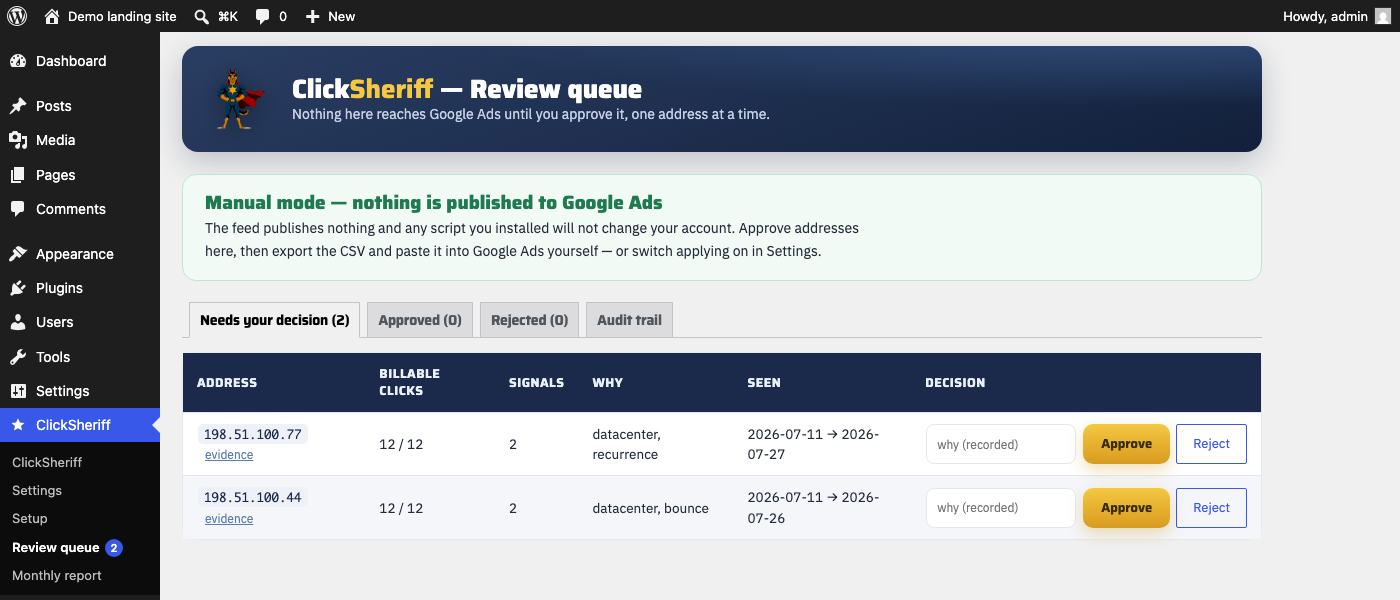
Step 1 — Approve, then export
Approve the addresses you are satisfied with, then download the approved list as CSV from the same screen. That file contains only what you approved, together with who approved it and the reason given — which is what makes the decision auditable later.
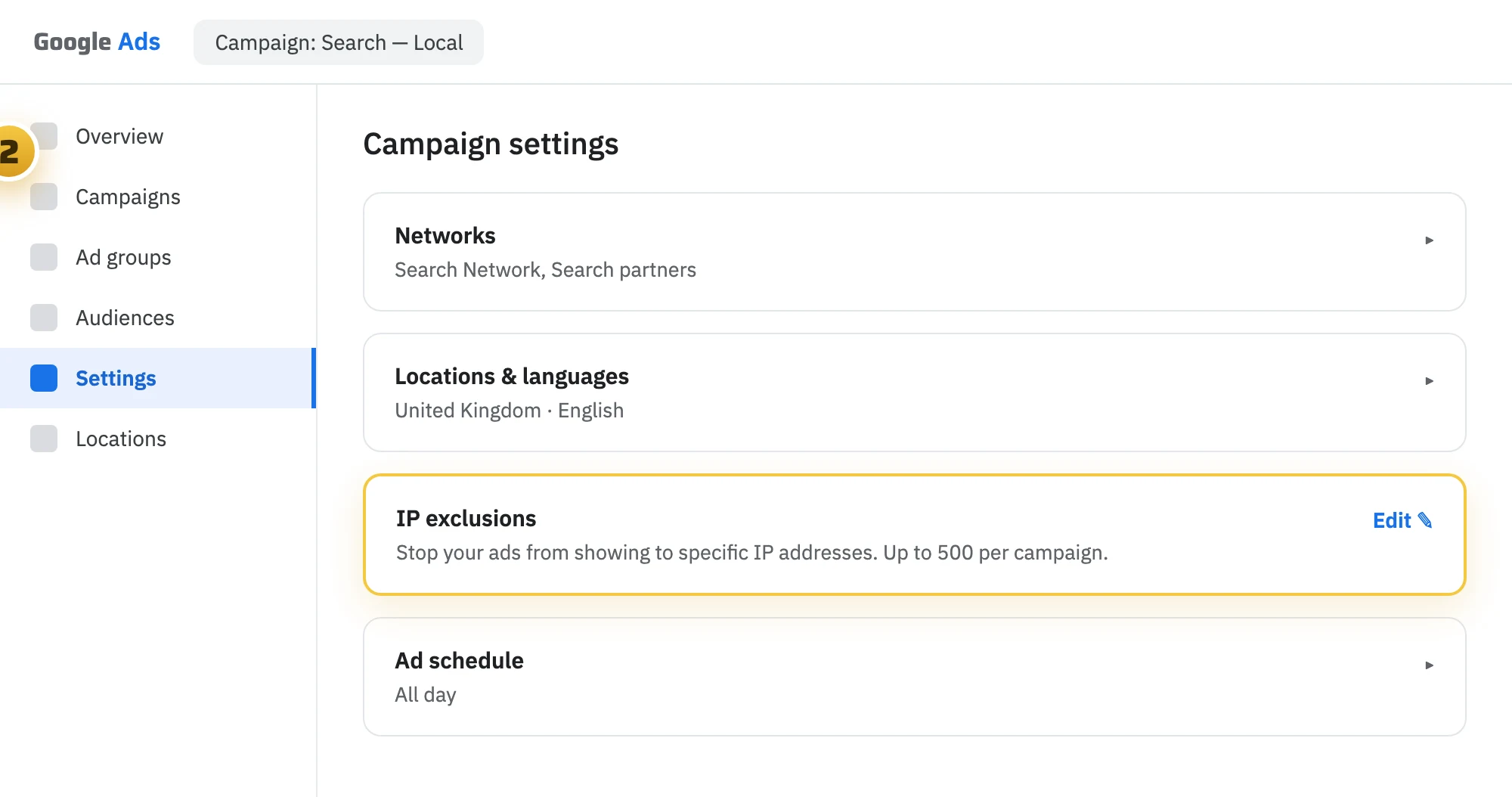
Step 2 — Open your campaign's IP exclusions
In Google Ads, open the campaign, go to Settings, and find IP exclusions among the additional settings. It is a built-in feature; there is nothing to install and nothing to be approved for.
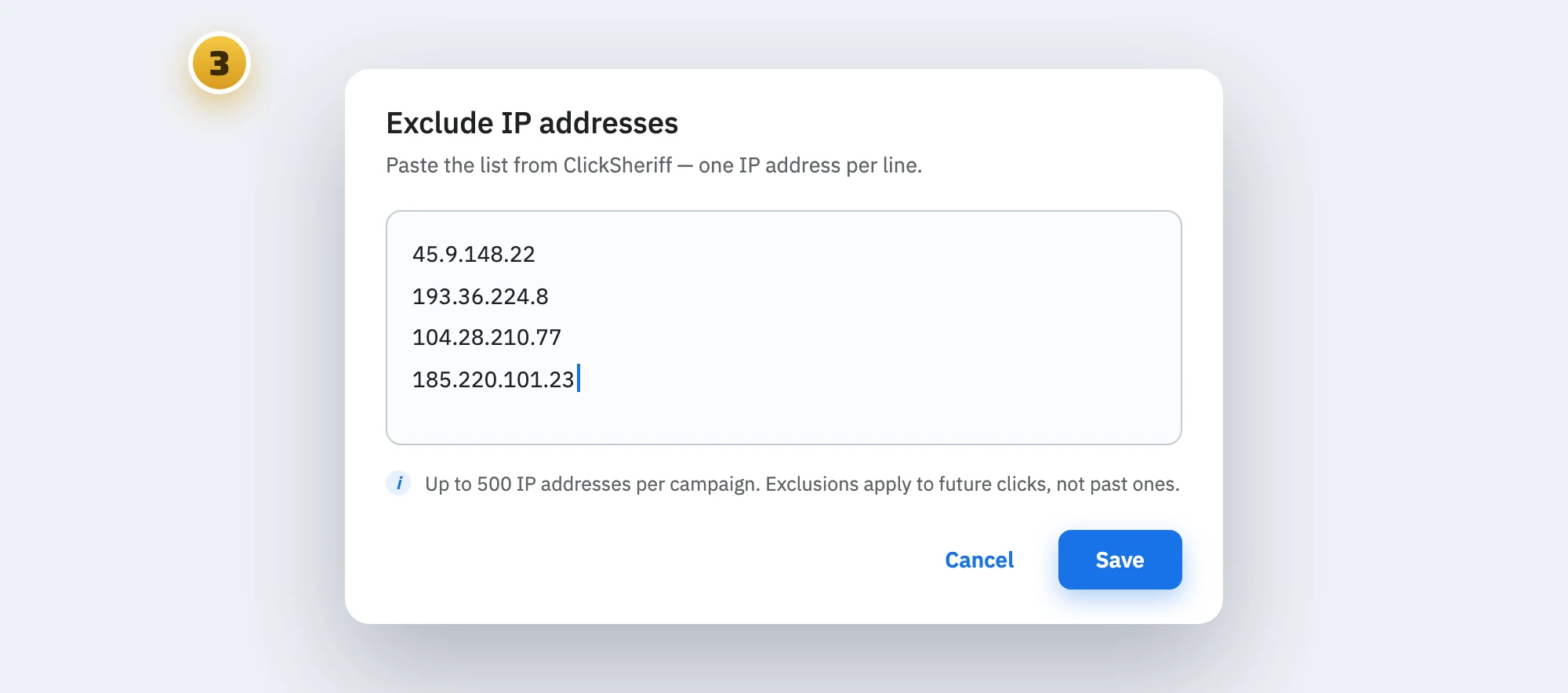
Step 3 — Paste and save
Paste the addresses one per line and save. Exclusions are set per campaign, so repeat this for each campaign you want covered.
What Google documents about the limits
- Up to 500 IP addresses per campaign.
- Campaign-level IP exclusions do not apply to Performance Max, Video, App, Hotel or Smart Display campaigns. No tool can add them there — the setting does not exist for anyone.
- An excluded address can still appear in your web logs. The exclusion governs whether your ads are served to it, not whether it can reach your website by other means.
- It affects future serving only. Nothing already billed changes.
Google's own reference is Exclude IP addresses. We do not extrapolate beyond what it says.
Things worth knowing before you paste
- Shared addresses. Mobile carrier networks and privacy relays put many unrelated people behind one address. ClickSheriff recognises these and holds them to a much higher bar, but if an address looks like a carrier, think twice.
- Your own addresses. Put your office and mobile IPs in ClickSheriff's settings. Checking your own ad is the most common reason a business ends up suspicious of itself, and configured addresses can never be suggested or approved.
- Addresses rotate. An exclusion list is a maintenance task, not a fix. Where a pattern points at a keyword, placement or location, changing that setting usually outlasts excluding an address.
- You can change your mind. Revoking an approval in ClickSheriff removes the address from the approved list, and the audit trail keeps both decisions.